How to Merge PDF Files Online for Free: The Ultimate Guide to Combining Documents Securely
Sending ten separate attachments in a single email is unprofessional. It clutters the recipient's inbox and makes you look disorganized. Even worse, printing and scanning documents just to combine them wastes paper and destroys text quality.
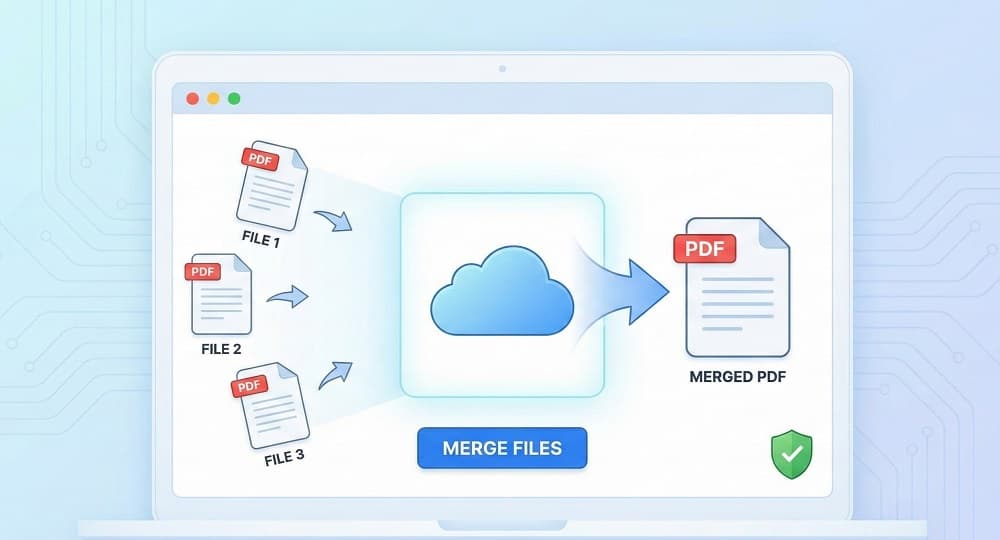
There is a better way. A PDF binder allows you to stitch multiple documents into a single, polished file in seconds.
You don’t need to buy expensive software like Adobe Acrobat to do this. With Online Tools Free, you can combine PDF files instantly, securely, and without spending a dime. Here is how to streamline your paperwork today.
The Quick Guide: How to Combine PDF Files in 3 Steps
If you need a result immediately, follow this simple process. Our tool runs entirely in your browser, so there is no software to install.
- Upload Your Files: Go to the Merge PDF Tool on OnlineToolsFree. Drag and drop your documents directly into the upload box. You can select multiple files at once.
- Reorder and Arrange: Once uploaded, you will see thumbnails of your documents. Simply drag and drop them to arrange the pages in your preferred order.
- Merge and Download: Click the "Merge PDF" button. The server will process your request instantly. Click "Download" to save your new, unified document.
Why Merge PDFs Online? (Web Tool vs. Desktop Software)
For years, the standard solution for editing PDFs was buying expensive desktop software. However, cloud computing has changed the game. Browser-based tools now offer the same power without the heavy price tag or hard drive footprint.
Here is why switching to an online PDF combiner is the smart choice:
- Zero Cost: While desktop giants like Adobe require hefty monthly subscriptions, our online tool is completely free to use.
- No Installation Required: You don’t need to clutter your hard drive with large software downloads. Everything runs directly in your browser, letting you start merging immediately.
- Access from Any Device: Unlike software licenses that are often tied to a single computer, our platform lets you work from anywhere—whether you are on a laptop, tablet, or smartphone.
- Cloud-Based Speed: We handle the processing power on our servers. This means you can merge large files without slowing down your own computer.
- Always Up to Date: Forget about annoying manual updates. Since the tool is online, you are always using the latest, most secure version automatically.
By using a web-based tool, you free yourself from licensing fees and device restrictions. You can work from a library computer, a friend’s laptop, or your smartphone without barriers.
Is It Safe to Merge PDF Files Online? (Security Matters)
Security is the biggest concern for anyone working with contracts, invoices, or legal forms. You need to know your data is safe.
At Online Tools Free, we prioritize data privacy through two main protocols:
- SSL Encryption: The connection between your device and our servers is encrypted. This acts like a secure tunnel, preventing anyone from intercepting your files while they are being uploaded.
- Auto-Deletion: We do not store your documents. After you process and download your merged file, our system automatically deletes your data from the server.
You get the convenience of cloud processing with the privacy of a local tool.
Merging on the Go: Managing PDFs on Mobile
Modern business doesn't always happen at a desk. You might need to combine a signed contract with a cover letter while you are on the train or waiting for a meeting.
Our platform is fully mobile-responsive. Whether you use an iPhone (Safari) or Android (Chrome), the experience is seamless.
- Open OnlineToolsFree.com on your mobile browser.
- Tap "Upload" and select files from your device’s File Manager or Google Drive.
- Tap "Merge" and save the file directly to your phone.
You don't need a specific app that drains your battery. It just works.
Pro Tips: Organizing Your Documents Before You Merge
Merging is easy, but a little preparation ensures your final document looks professional.
- Check File Compatibility: If you have images you want to include, use our JPG to PDF converter first so they are in the correct format.
- Watch the File Size: Merging many high-resolution files can result in a massive document that is hard to email. If your final file is too big, use our Compress PDF tool to reduce the size without losing quality.
- Fix Mistakes: Did you accidentally merge a page you didn't need? Don't worry. You can use the Split PDF tool to separate them again.
Frequently Asked Questions (FAQ)
How can I combine multiple PDF files for free?
You can use a browser-based tool like Online Tools Free. simply upload your documents, arrange them in the desired order, and click "Merge." It is fast, free, and requires no account registration.
Is it safe to merge PDF files online?
Yes, providing the tool uses SSL encryption and auto-deletion. Reputable platforms encrypt your data during transfer and permanently delete your files from their servers shortly after processing to ensure your privacy.
How do I merge PDF files without Adobe Acrobat?
Use a free online alternative instead of paid software. Open OnlineToolsFree.com, select the "Merge PDF" tool, upload your files, and download the combined document. This saves you the cost of an expensive monthly subscription.
Does merging PDFs reduce quality?
No, merging typically preserves the original resolution. However, if you are combining many high-res images, the file size may increase. You can optionally compress the file afterward if you need to save space.
Ready to get organized?
Stop struggling with scattered email attachments. Click here to use the Merge PDF Tool and combine your documents in seconds.
Thanks for reading! Share this post if you found it helpful.