JPG to WebP: Speed Up Your Site with Next-Gen Image Optimization
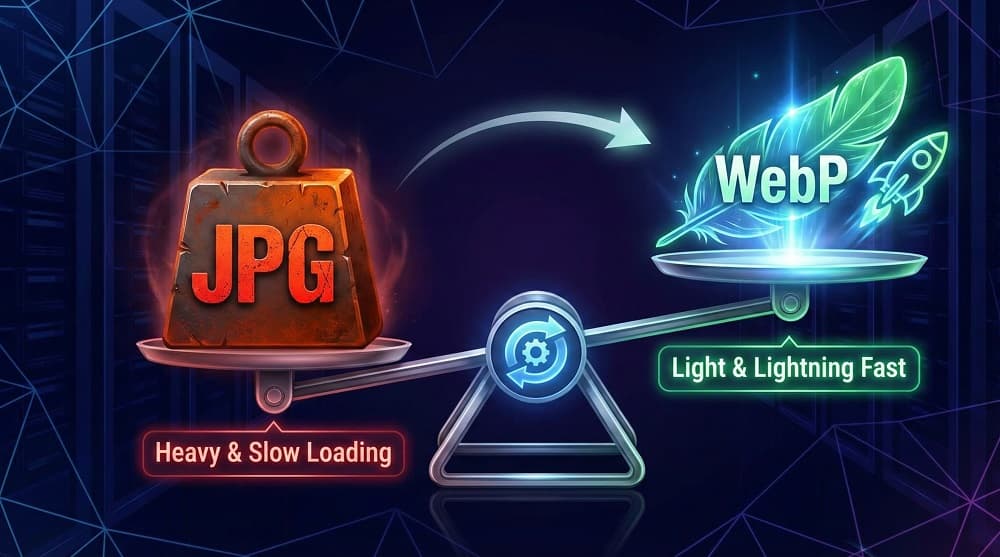
Is your website feeling sluggish?
You’ve optimized your code, stripped back plugins, and upgraded your hosting. Yet, Google PageSpeed Insights still flags "Serve images in next-gen formats."
The culprit is likely your image library. Old-school JPGs are heavy. They eat up bandwidth and slow down loading times, frustrating mobile users and hurting your search rankings.
The solution isn't to delete your images; it's to change how you serve them. Switching to WebP can reduce file sizes by over 30% without visible quality loss. This guide explains why WebP is the superior format and shows you how to convert your library instantly using OnlineToolsFree.
What is WebP and Why Does Google Prefer It?
WebP is a modern image format developed by Google specifically for the web. Unlike older formats like JPG (JPEG) or PNG, WebP was engineered to provide superior compression for images on the internet.
It uses predictive coding to create files that are smaller than comparable JPGs, yet look identical to the human eye.
The key technical advantage is versatility. WebP supports both:
- Lossy Compression: Like JPG, but more efficient.
- Lossless Compression: Like PNG, preserving every pixel.
- Alpha Channel (Transparency): It can handle transparent backgrounds, which JPG cannot do.
Because it loads faster, Google explicitly recommends WebP as a standard best practice for improving user experience.
JPG vs. WebP: The Quality & Size Showdown
Many users hesitate to switch because they fear pixelation or blurry photos. Let's look at the data.
When you convert a standard JPG to WebP, the intelligent compression algorithm discards data that the human eye cannot perceive. The result is a crisp image at a fraction of the weight.
Comparison: JPG vs. WebP
- File Size: Standard JPGs serve as the heavy baseline for image weight. WebP significantly outperforms them, creating files that are typically 25-35% smaller than their JPG counterparts. Winner: WebP.
- Quality: JPG uses lossy compression, which is high quality but discards data. WebP is more versatile, supporting both lossy and lossless compression modes to maintain high fidelity. Result: Tie.
- Transparency: JPG does not support transparent backgrounds; you are stuck with a solid white or colored box. WebP fully supports transparency (alpha channel), making it ideal for logos and graphics. Winner: WebP.
- Browser Support: JPG works on 100% of browsers, including very old systems. WebP is supported by over 96% of browsers (including all modern versions of Chrome, Safari, and Edge). Result: Tie.
- Animation: JPG is for static images only. WebP supports animation, offering a lightweight alternative to heavy GIF files. Winner: WebP.
If you run a photography portfolio or an e-commerce store with thousands of product photos, this size reduction translates to gigabytes of saved bandwidth every month.
How to Convert JPG to WebP for Free (Step-by-Step)
You don’t need expensive software like Photoshop or command-line tools to modernize your image library. You can handle the entire process directly in your browser.
Here is how to use the OnlineToolsFree.com converter to get the job done quickly.
- Navigate to the Tool: Go to the JPG to WebP Converter on OnlineToolsFree.com.
- Upload Your Images: Click the "Select Files" button or simply drag and drop your JPGs into the box. You can batch convert multiple files at once to save time.
- Start Conversion: The tool processes the images instantly using smart compression algorithms.
- Download: Save your new, lightweight WebP files individually or download them all as a ZIP folder.
The best part? It’s completely server-side and secure. No installation is required, and your files aren't stored permanently.
SEO Benefits: How WebP Boosts Your Rankings
Switching formats isn't just about saving storage space; it is a direct SEO strategy.
Google uses Core Web Vitals to measure the health of a website. One of the most critical metrics is LCP (Largest Contentful Paint). This measures how long it takes for the main content on your page (usually a hero image) to load.
- Heavy JPGs cause slow LCP scores, signaling to Google that your site is slow.
- Lightweight WebP images load almost instantly, improving your LCP score.
Faster sites retain users better. A study by Google showed that as page load time goes from 1 second to 3 seconds, the probability of a user bouncing increases by 32%. By optimizing your images, you keep visitors on your page longer, sending positive signals to search engines.
Frequently Asked Questions (FAQ)
Is WebP better than JPG for websites?
Yes, WebP is superior to JPG for web performance. It offers file sizes that are roughly 30% smaller than JPGs while maintaining the same visual quality, which significantly improves page load speeds.
How do I convert JPG to WebP without losing quality?
Use a tool that utilizes smart lossy or lossless compression. OnlineToolsFree.com uses advanced algorithms to restructure image data, preserving visual fidelity while reducing the file size.
Can all browsers open WebP files?
Yes, all major modern browsers support WebP. Chrome, Safari, Firefox, Edge, and Opera all fully support the format. It covers approximately 96% of global internet users.
Does converting to WebP help SEO?
Absolutely. Converting to WebP directly improves your PageSpeed and Core Web Vitals scores (specifically LCP). Since page speed is a ranking factor, this can improve your visibility in search results.
Ready to Speed Up Your Site?
Don't let heavy images drag your performance down. Modernize your website today with the JPG to WebP Converter. It’s fast, free, and the easiest way to improve your user experience instantly.
Thanks for reading! Share this post if you found it helpful.